Privacy & security
Is Temp Mail Safe? What It Protects and What It Cannot
Wondering what makes temp mail safe—and where its protection stops? See how FreeTemp isolates sessions, blocks tracking pixels, and when not to use it.
By FreeTemp7 min read
Asking whether temp mail safe practices truly protect you comes down to matching the tool to the right threat: yes, a private disposable inbox shields your personal email address from marketing lists, data broker leaks, and open-tracking pixels during one-time signups. However, it does not hide your network IP from the website you visit, neutralize a phishing page if you click a bad link, or safeguard accounts that require future password resets. Understanding both sides of that boundary is what keeps your identity and accounts secure.
What Makes Temp Mail Safe for Everyday Inbox Privacy
Not all disposable email sites are built the same way. Older public-inbox directories let anyone type a username into a search box and read whatever mail arrived there—meaning a stranger could intercept your confirmation link in real time. Evaluating safety starts with checking how the inbox isolates your session and handles untrusted HTML.
Per-Mailbox Secret Tokens vs Public Shared Inboxes
When you open the FreeTemp live inbox, the server does not hand out a public room that anyone can browse by guessing a name. Instead, it creates a random address alongside a cryptographic access token stored locally in your browser's localStorage. Every request to read messages, open a WebSocket update stream, extend the timer, or burn the inbox must present that matching token; requests without it are rejected with 403 Forbidden.
Equally important, FreeTemp requires no registration, name, or recovery email, and your connection IP is never attached to stored messages—it serves only as a short-lived rate-limit counter key that expires automatically within 24 hours, as documented in our privacy policy.
Sandboxed HTML Sanitization and Remote Pixel Blocking
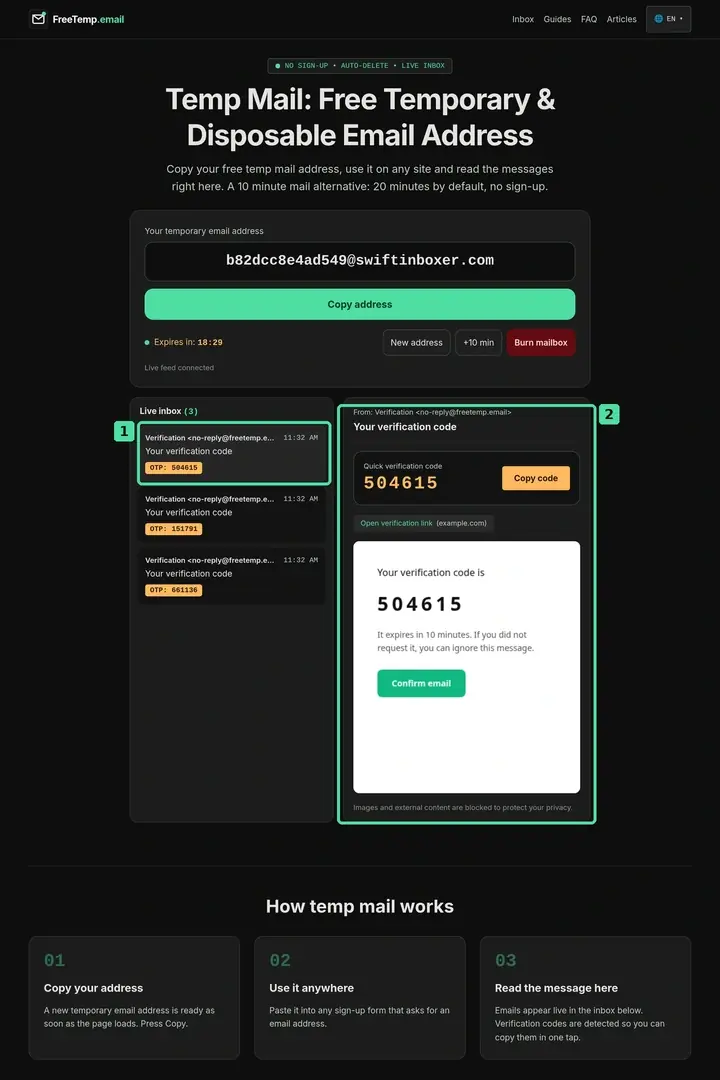
Opening an email from an unfamiliar sender carries two classic risks: hidden JavaScript or form injection, and 1x1 remote tracking pixels that report your IP address, open timestamp, and device profile back to a marketing server. FreeTemp passes every HTML message through DOMPurify—stripping scripts, forms, embedded frames, and dangerous javascript: or data: schemes—and renders the cleaned body inside a restricted iframe with no-referrer headers and external images blocked by default.
Receive-Only Routing and Immediate Permanent Deletion
Because FreeTemp is strictly receive-only, nobody can abuse an address to send outbound phishing mail in your name. Each mailbox also caps storage at 50 messages (rejecting message 51 with 429 rather than overwriting earlier mail) and rejects raw payloads over 2 MB before parsing. Once the 20-minute default countdown expires (or up to 60 minutes if extended) or you press Burn mailbox, deleteAll() erases the messages and session token from cloud storage permanently—leaving nothing behind if an external website suffers a database breach months later.
Threat Model Table: What FreeTemp Protects vs What It Does Not
Security mistakes happen when users expect an email privacy tool to act like a VPN, a password manager, and an antivirus scanner all at once. Use this matrix to see exactly which risks are covered:
| Risk or Threat | Protected by FreeTemp? | How It Works in Practice |
|---|---|---|
| Spam and promotional drip campaigns | Yes | The address ceases to exist after expiry or burning, so follow-up blasts bounce cleanly |
| Third-party signup database breaches | Yes | If a small forum leaks its user table next year, your real email address is not in it |
| Email open-tracking pixels | Yes | External images and remote stylesheets are blocked by default inside the preview |
| Other visitors reading your temp inbox | Yes | Access requires the secret token saved in your browser session |
| Website logging your IP or browser fingerprint | No | The target website still sees your direct HTTP connection unless you use network privacy tools |
| Malicious phishing URLs inside an email | Partial | Dangerous javascript: links are stripped and target domains are shown, but clicking external URLs is your choice |
| Long-term account recovery & 2FA resets | No | Expired inboxes cannot be recreated, so future reset links are permanently lost |
Realistic Example: Inspecting a Developer Community Invite Safely
Suppose you join an unfamiliar open-source hardware discussion board to download a schematic file. Minutes after confirming your disposable address, a second email arrives claiming your "board profile requires urgent credential verification" with a prominent button.
Inside FreeTemp, two built-in safeguards help you spot the trap immediately: first, remote tracking images are blocked, so merely opening the email does not confirm to the sender that a human is reading the inbox; second, the extracted links panel displays the actual destination host in brackets right beside the button label, revealing an unrelated domain instead of the hardware forum's domain.
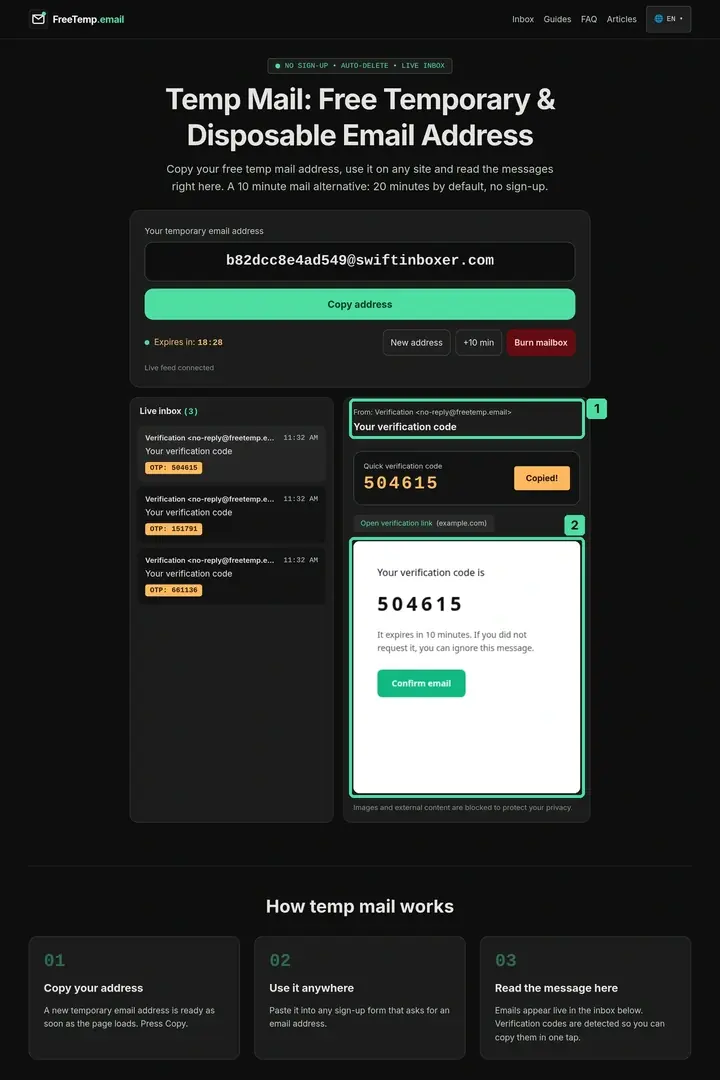
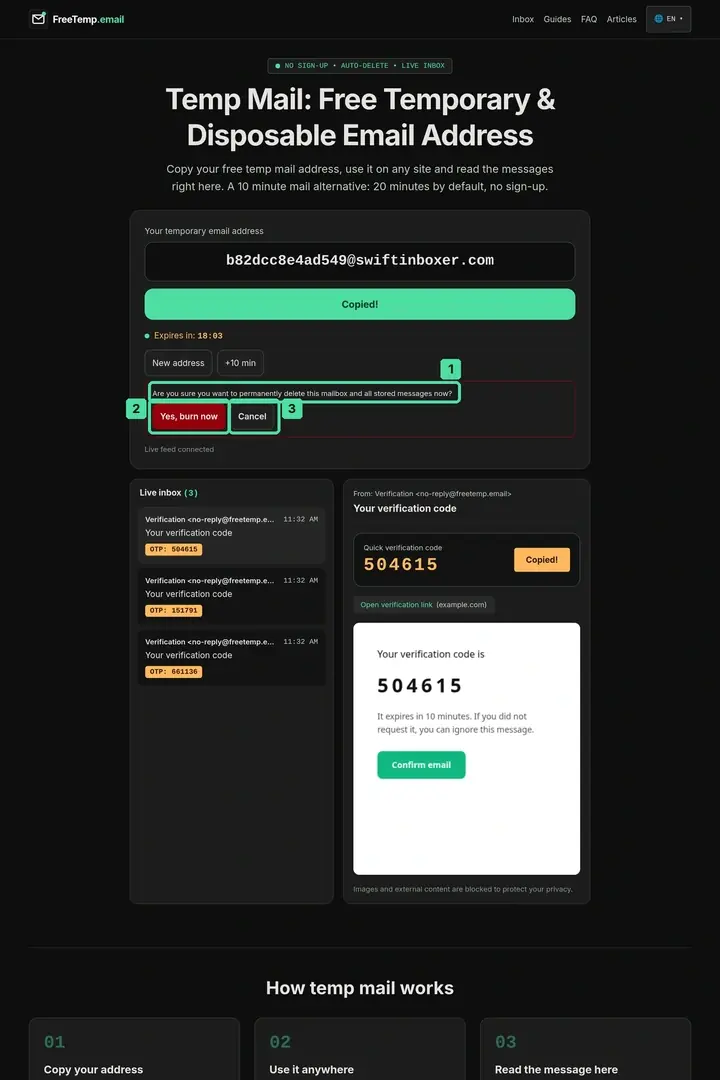
Instead of clicking the suspicious link, you close the message, press Burn mailbox, and confirm immediate deletion. For a deeper checklist on evaluating links inside arrived mail, read are links in temporary email messages safe.
5 Habits to Keep Temporary Email Sessions Safe
- Generate the inbox in a regular tab you control, never on a shared public computer. Because your secret access token lives in
localStorage, leaving a kiosk browser open lets the next person view an unburned inbox. - Never type real passwords, payment details, or personal IDs into disposable signups. Generate a unique random password in your password manager whenever a one-off form requires a password field.
- Inspect the bracketed domain before opening any confirmation URL. Confirm the host matches the exact website you just visited.
- Burn the mailbox as soon as your download or code verification finishes. Cutting a 20-minute session down to 45 seconds minimizes exposure on your own device.
- Switch to a permanent address or forwarding alias for anything worth keeping. Review the critical boundaries in when not to use a temporary email and compare long-term options in temporary email vs disposable email vs aliases.
Common Mistakes That Undermine Your Security
- Using a disposable inbox for financial, work, or shopping accounts: Losing access to warranty receipts, tax notices, or password reset emails turns a privacy tool into a self-inflicted lockout.
- Assuming every email inside your temp inbox came from the site you just used: If you paste one temporary address across five different websites in ten minutes, untangling which sender owns which confirmation link becomes error-prone. Use one fresh inbox per site.
- Trusting file download links blindly: While FreeTemp rejects raw emails over 2 MB and does not store attachments, an email body can still link to an external file host. Scan downloaded files just as carefully as you would from regular webmail.
- Leaving sensitive codes visible on screen before walking away: Press Burn mailbox before stepping away from a laptop in a workspace or library.
Making the Smart Security Call
Treat a disposable inbox like a clean reception desk at the edge of your digital life: ideal for catching a one-time code or resource link without handing strangers the keys to your personal archive. Keep your permanent mailbox—protected by strong two-factor authentication—for every account tied to your identity, money, or ongoing work.
Frequently asked questions
Does using FreeTemp hide my IP address from the website I sign up on?
No. FreeTemp hides your personal email address from the website and blocks remote tracking images inside incoming emails, but when you visit an external website in your browser, that site still sees your normal network connection.
Can someone else guess my FreeTemp address and read my verification code?
No. Every FreeTemp mailbox is locked to a cryptographic secret token generated at creation and saved in your browser localStorage. Without that token, the server refuses read requests with a 403 error.
What happens if a hacker breaches a website where I used a temporary email?
Your personal email address stays unexposed because the breached database only contains an expired disposable address that no longer exists and cannot be linked back to your real mailbox.
Why does FreeTemp block external images inside messages by default?
External images often act as invisible tracking pixels that report when you opened an email, your IP address, and your device type to third-party analytics servers. Blocking them inside a sandboxed preview prevents silent tracking.