Use cases
When Not to Use a Temporary Email Account: 7 Risky Cases
Never tie a temporary email account to banking, government IDs, healthcare, work, or paid orders. Review 7 critical cases and safer permanent options.
By FreeTemp7 min read
Never use a temporary email account for any service where losing inbox access after 20 to 60 minutes could lock you out of money, legal records, medical data, work infrastructure, or paid purchases. On FreeTemp, the server alarm runs deleteAll() the instant your countdown reaches zero—or the moment you confirm Burn mailbox—permanently erasing the address, access token, and every stored message with zero backup archive. Knowing the seven categories where short-lived mail is dangerous protects you from irreversible lockouts before you ever paste an address.
Why a Short-Lived Temporary Email Account Breaks Ongoing Services
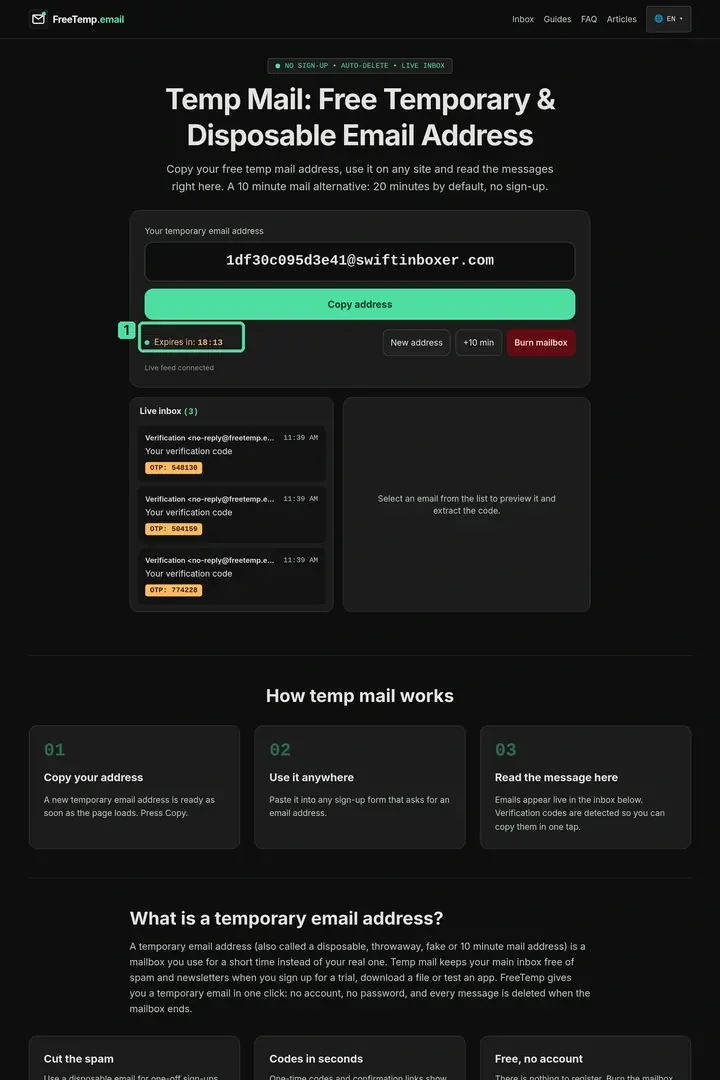
Ephemeral mail is engineered to vanish cleanly, and four concrete architectural rules in FreeTemp make it unsuitable for lasting relationships:
- Strict 20-to-60-minute lifespan: A mailbox starts at 20 minutes by default and can only be extended in +10-minute increments up to a 60-minute ceiling from your click—read the exact clock behavior in how long a temporary email lasts.
- No address recreation: Every generated address is random. Neither you nor support staff can recreate an expired string next month to catch a password-reset link or a new-device login code.
- Receive-only routing: Outbound sending and replying are disabled completely, so you can never email a support desk from the address on file to prove ownership.
- No attachments and a 2 MB raw size cap: PDF invoices, travel tickets, tax forms, and signed contracts are stripped or rejected outright when raw MIME exceeds 2 MB.
The 7 Critical Cases Where You Must Use a Permanent Email
1. Banking, Digital Wallets, Payment Apps, and Tax Portals
Financial institutions trigger email verification whenever you sign in from a new browser, update a payout IBAN, dispute a charge, or download annual tax statements. Losing access to the registered email freezes security workflows and forces slow manual identity verification—or locks funds until notarized documents are reviewed.
2. Government Services, Civil Registries, Visas, and Legal Filings
Municipal portals, passport renewal systems, visa applications, court notifications, and national tax agencies send legally binding notices weeks or months after your initial submission. Missing an official deadline or status update because a disposable inbox expired carries real legal and administrative consequences.
3. Healthcare Portals, Lab Results, and Insurance Claims
Clinics, pharmacies, diagnostic labs, and health insurers use email to send appointment links, prescription readiness alerts, claim decisions, and multi-factor login codes for patient portals. Sensitive medical correspondence belongs exclusively in an encrypted, permanent personal mailbox protected by strong two-factor authentication.
4. Work, University, Client Contracts, and Cloud Infrastructure
Never register domain registrars, DNS hosts, cloud servers, code repositories, freelance marketplaces, or academic portals with an expiring inbox. If your domain registrar sends an annual ICANN verification notice to a dead address and receives a hard bounce, your live production domain can be suspended automatically.
5. Online Shopping, Paid Software Licenses, and Travel Bookings
Even a one-time guest checkout at an online store creates post-purchase emails you may urgently need later: shipping tracking numbers, customs clearance notices, warranty claims, refund confirmations, or license activation keys after reinstalling your computer. Moreover, airlines and software vendors frequently attach PDF e-tickets or invoices that FreeTemp never stores.
6. Password Managers, Two-Factor Recovery, and Primary Digital IDs
Your Apple Account, Google Account, Microsoft Account, hardware key backup contact, and password manager emergency email sit at the root of your digital identity. Tying a recovery contact to an expiring mailbox creates a circular lockout the first time your phone breaks or gets replaced.
7. Personal Cloud Storage, Messaging Apps, and Private Archives
Photo libraries, note-taking sync accounts, and personal messaging services hold years of irreplaceable memories and private conversations. Always pair them with a permanent address you own—compare privacy-preserving permanent tools in temporary vs disposable email address vs email aliases.
Four-Question Pre-Signup Decision Matrix
Before pasting an address from the FreeTemp homepage into an unfamiliar form, run through these four questions in five seconds:
| Question to Ask Yourself | If the Answer Is "Yes" | If the Answer Is "No" |
|---|---|---|
| Might I need to sign back into this account tomorrow or next month? | Use a permanent email or forwarding alias | Safe candidate for FreeTemp (check next rows) |
| Is any payment, order, license key, ID, or legal record involved? | Use your verified primary or secondary real inbox | Safe candidate for FreeTemp |
| Might the sender attach a PDF file or ask me to reply by email? | Use a two-way permanent mailbox | Safe candidate for FreeTemp |
| Would losing this account cost me money, work, or personal data? | Never use temporary mail | Fit for one-time temporary email signups |
Worked Example: Rescuing an Accidental Checkout Before the Clock Runs Out
Suppose a freelance motion designer opens FreeTemp at 14:00 to download a free brush pack from a community blog, then switches tabs at 14:04 to buy a paid $49 font license—and accidentally lets browser autofill paste the still-copied temporary address into the font store's account creation box:
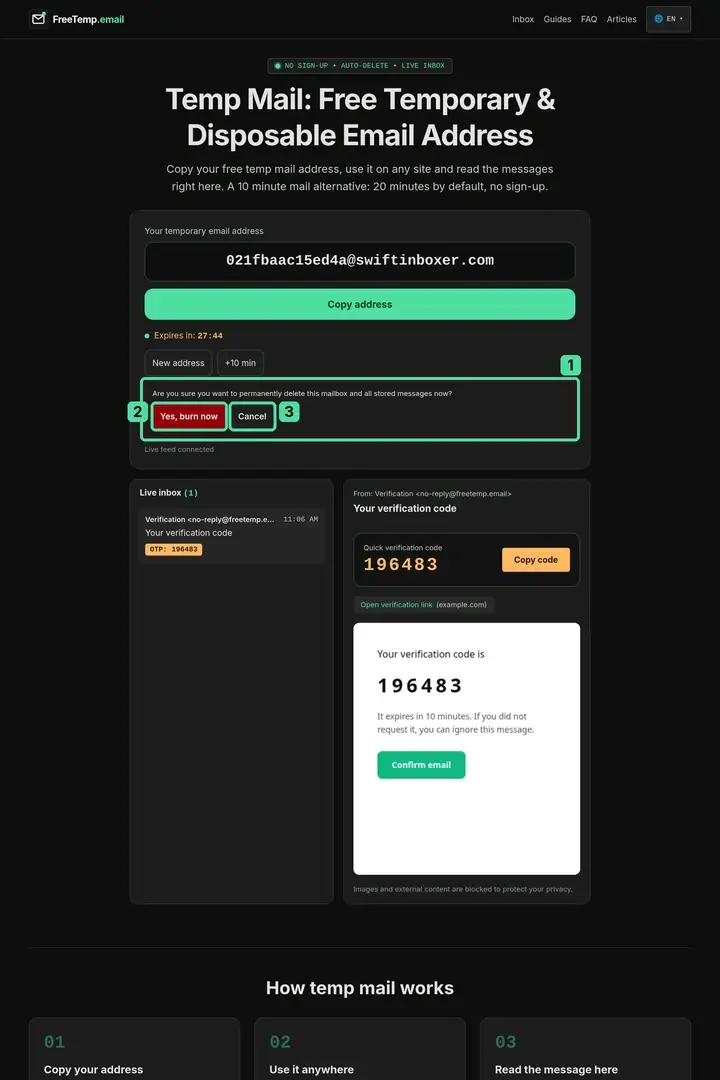
14:05(Spotting the mistake): Right after payment succeeds, the designer notices the receipt went to the FreeTemp tab, where14:50remains on the clock.14:06(Buying breathing room): Before touching anything else, they click +10 min twice in FreeTemp so the session will not expire mid-change.14:08(Migrating to a permanent alias): Inside the font store's account settings, they update the account email to a long-lived forwarding alias. The font store sends a "Confirm email change" link to the old FreeTemp address and a second link to the new permanent alias.14:10(Completing both confirmations): Because the FreeTemp session is still alive, the designer clicks the confirmation link, verifies the font store dashboard now shows the permanent alias, downloads the license receipt from the store's web portal, and only then clicks Burn mailbox. Had they noticed thirty minutes later after expiry, only manual payment-card verification with store support could have rescued the license.
Common Mistakes That Lead to Permanent Account Lockouts
- "Testing" a SaaS tool with temp mail and then building real projects inside that same account: When you upgrade to a paid plan or clear browser cookies a week later, the login challenge goes to an inbox that vanished days ago. Create a fresh official account—or change the account email immediately—before investing real work.
- Using a temporary inbox for digital game stores or app marketplaces: Modern game launchers trigger automatic email OTP checks whenever your home router IP changes or your OS updates.
- Expecting PDF tickets or ZIP downloads inside the email itself: FreeTemp strips attachments and caps raw MIME at 2 MB; if a vendor emails files directly rather than web links, use a real mailbox.
- Confusing privacy from marketers with anonymity on legal or financial forms: Entering disposable contact details on regulated services can trigger automated fraud freezes on your legitimate purchases.
Keep High-Value Accounts on Ground You Own
Temporary mail shines brightest when it carries zero long-term baggage: reading a gated technical article, passing a café Wi-Fi portal, or testing a staging signup form. Draw a hard line around money, health, government records, work, and recovery credentials—keep those anchored to a permanent, two-factor-protected inbox or a reputable forwarding alias you control for years.
Frequently asked questions
What should I do immediately if I accidentally used a FreeTemp address on an important account?
If your FreeTemp countdown is still active, click +10 min right away to buy time, open the external website’s account settings, change the email to your permanent address, and complete any confirmation email sent to the old inbox before burning it. If the timer already expired, contact the website’s official support team while you are still logged in.
Can I buy a temporary domain or pay FreeTemp to reopen an expired inbox?
No. FreeTemp permanently deletes mailbox contents and access tokens upon expiration with no archive, and individual addresses cannot be reserved, reopened, or recreated.
Is it safe to use temporary email for a free software account if I might upgrade later?
Only if you treat that test session as completely disposable or change the account email to a permanent address while your FreeTemp inbox is still active, because most platforms email a confirmation link to the old address before allowing an email change.
What should I use instead of temporary email when I want privacy on a shopping site?
Use a permanent forwarding alias service (such as Apple Hide My Email, Firefox Relay, or SimpleLogin) or a dedicated secondary real email account secured with two-factor authentication so shipping updates, PDF invoices, and return labels still reach you.