Use cases
Stop Spam With a Free Temporary Email Address: Full Plan
Keep marketing blasts and data-broker leaks out of your personal inbox using a free temporary email address as part of a 3-tier email hygiene workflow.
By FreeTemp7 min read
Using a free temporary email address stops spam at the source by preventing unfamiliar websites from ever learning your real personal inbox in the first place. Instead of fighting endless "Unsubscribe" links after your address has already been copied across marketing CRMs and partner lists, you hand single-use forms a disposable FreeTemp inbox that self-destructs after 20 minutes (or immediately when you press Burn mailbox). Combined with a simple three-tier inbox habit, your primary mailbox stays reserved exclusively for people and services you genuinely trust.
How One Casual Form Submission Turns Into Years of Spam
Most junk mail does not start with a shady website—it starts with ordinary, everyday errands where handing over an email address is treated as an entry ticket:
- Gated downloads and checklists: Downloading a single PDF template or salary report often enrolls your address in a 12-part automated sales sequence.
- Public Wi-Fi captive portals and event check-ins: Airport lounges, hotel lobbies, cafés, and trade-show booths routinely bundle marketing consent into network access forms.
- Co-sponsored webinars and sweepstakes: Fine print frequently authorizes sharing registrant lists with "selected media and sponsor partners," multiplying one signup into ten separate mailing lists.
- Silent third-party database breaches: Small forums, coupon sites, and niche tools get breached years after you forgot signing up, dumping plain-text email tables onto data-broker lists.
- Open-tracking pixels: Marketing emails embed invisible
1x1remote images; the moment a normal mail app loads them, the sender's server logs that your address belongs to an active human reader, raising its resale value on bulk lists.
How a Free Temporary Email Address Breaks the Tracking Chain
FreeTemp cuts off every link in that chain through four concrete technical mechanisms verified in its mail worker and browser preview:
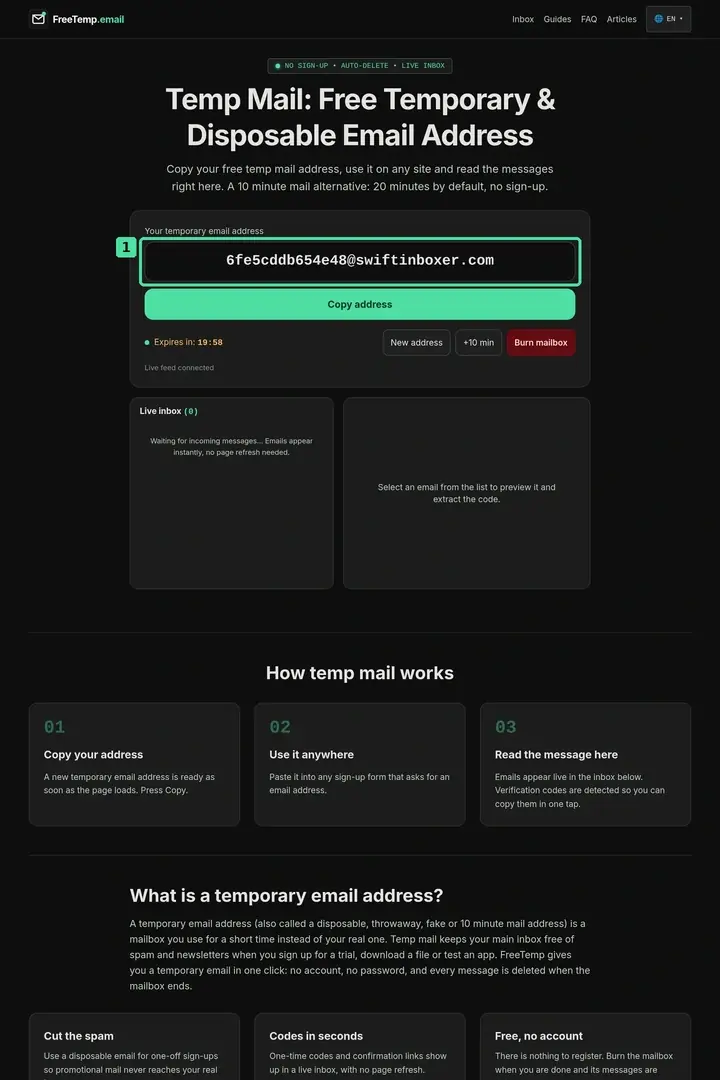
- Zero exposure of your real address: You generate a random inbox on the FreeTemp homepage with no registration, password, or personal profile.
- Automatic remote image and pixel blocking: Every HTML message is sanitized with DOMPurify and rendered inside a scriptless
iframewhose Content Security Policy (img-src data:andno-referrer) blocks external tracking pixels from phoning home when you open the email. - Receive-only isolation: With max 50 stored messages per box and 2 MB max raw size, the inbox handles quick confirmations cleanly and disables outbound mail completely.
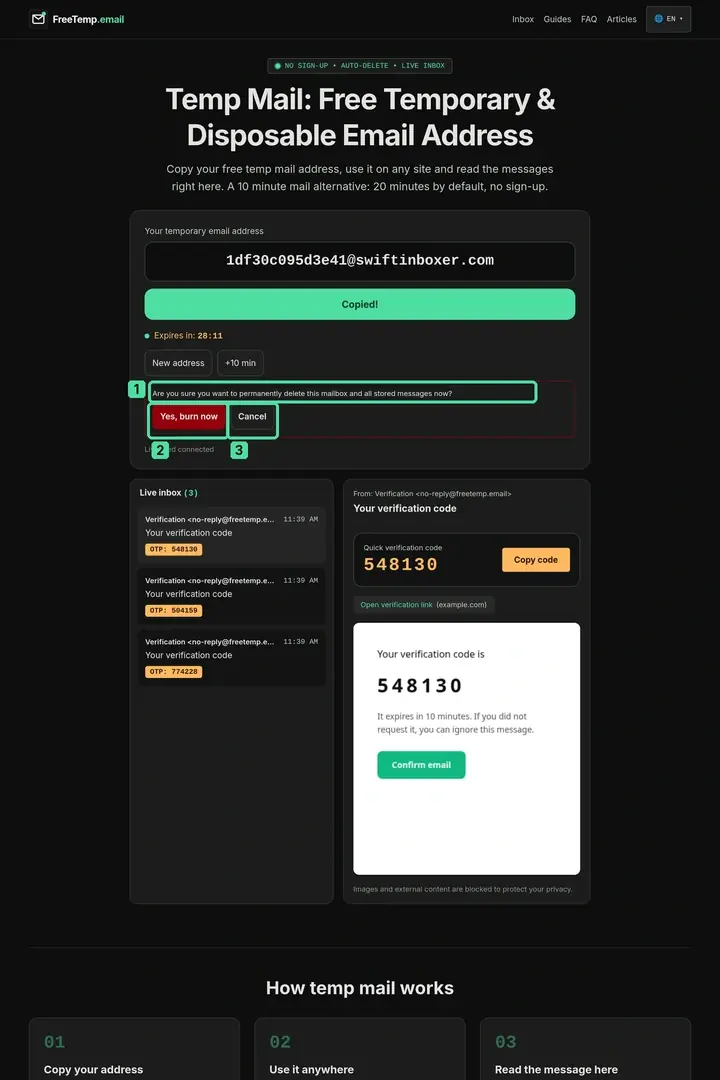
- Hard server deletion after expiry or burn: Once the 20-minute timer ends (extendable by +10 minutes up to 60 minutes) or you click Burn mailbox,
deleteAll()wipes the inbox—so follow-up drip emails sent tomorrow or next month hit a permanent404dead end instead of your phone's notification screen.
The 3-Tier Inbox System for Long-Term Email Hygiene
Relying on temporary mail alone is risky if you accidentally use it on important accounts, while relying on your main inbox alone invites clutter. Pairing three distinct tiers solves both problems cleanly:
| Inbox Tier | What Belongs Here | Recommended Tool | Lifespan & Control |
|---|---|---|---|
| Tier 1: Vault Inbox | Banking, taxes, healthcare, government, family, primary work | Hardened primary mailbox with hardware/app 2FA | Permanent; never entered on public forms |
| Tier 2: Filtered Alias Layer | Online shopping, SaaS tools, developer portals, trusted newsletters | Forwarding aliases or dedicated secondary real inbox | Permanent, with per-sender mute or disable |
| Tier 3: Ephemeral Shield | One-off PDF downloads, Wi-Fi gates, quick calculators, QA testing | FreeTemp disposable inbox | 20–60 minutes; burned immediately after use |
Tier 1: Keep Your Vault Address Invisible to Public Forms
Treat your primary inbox like a private phone number shared only with people and regulated institutions. Never enter it into webinar landing pages, discount pop-ups, or public comment sections.
Tier 2: Route Ongoing Accounts Through Revocable Aliases
Whenever an online store or SaaS dashboard needs a lasting contact point for receipts and password resets, create a unique forwarding alias per vendor so you can mute any single merchant that starts spamming later.
Tier 3: Use Ephemeral Inboxes for Single-Touch Errands
When no lasting account exists, hand the form a 20-minute FreeTemp inbox, collect your verification code or download link, and burn it immediately.
For a side-by-side breakdown of Tier 2 aliases versus Tier 3 short-lived inboxes, see temporary vs disposable email address vs email aliases, and double-check high-risk exceptions in when not to use a temporary email.
Step-by-Step: Completing a One-Off Download Without Leaving Spam Residue
- Open FreeTemp right before submitting the form: Follow how to create a temporary email address so your full 20-minute timer is fresh.
- Copy with one click and paste cleanly: Click Copy address and paste it into the download or Wi-Fi portal form without spaces.
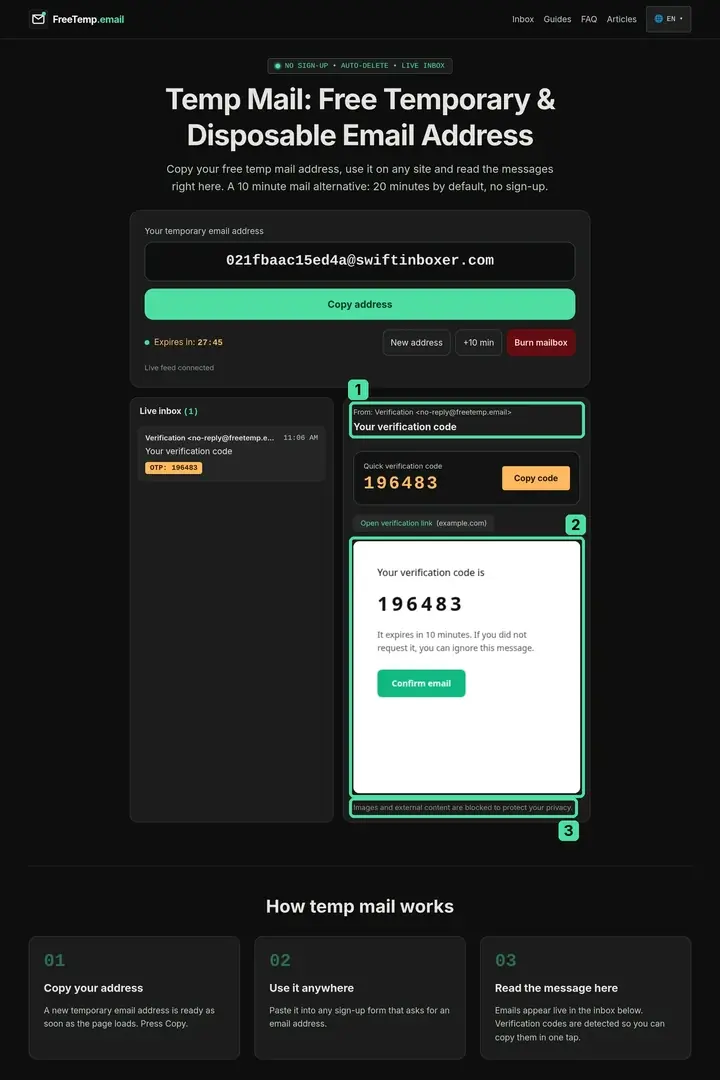
- Read the arrived email inside the isolated preview: Keep the FreeTemp tab open; the message appears over WebSocket in seconds with external tracking images automatically blocked.
- Inspect the download or confirmation domain before clicking: Check the hostname shown in parentheses on the extracted link card—review safety checks in are links in temporary email messages safe.
- Burn the mailbox as soon as you have your file or code: Click Burn mailbox and confirm Yes, burn now so the address ceases to exist immediately.
Worked Example: Researching Six Vendor Reports in One Afternoon
Imagine a product manager comparing enterprise analytics pricing across six software vendors, each locking its benchmark PDF behind a "Work or personal email required to download" form, while working from an airport lounge Wi-Fi network:
- Airport Wi-Fi portal (
13:10): They paste a FreeTemp address into the captive portal, copy the 6-digit access code from the quick-code card, connect to Wi-Fi, and burn the box at13:11. - Six vendor benchmark PDFs (
13:20–14:05): Using fresh FreeTemp sessions, they receive all six HTTPS download links, verify each vendor's domain badge, save the PDFs locally, and burn the final inbox at14:06. - Result one week later: Zero cold-outreach follow-ups, zero webinar invitations, and zero tracking-pixel opens ever touch their company or personal email—while the single vendor they eventually choose for a real contract gets onboarded properly through their official Tier 1 work address.
Common Mistakes When Fighting Email Spam
- Using
+tagsubaddressing (name+promo@gmail.com) expecting it to hide your email: Subaddressing helps filter mail inside your own inbox, but anyone—or any automated scraper—can strip everything after+and email your real address directly. - Reusing one temporary inbox across five unrelated websites at once: Mixing senders in a single 20-minute session makes it harder to verify which domain sent which link; burn and create a fresh address per untrusted site (staying well within the 10-addresses-per-10-minutes limit).
- Signing up for newsletters you genuinely want to read every week using temp mail: Anything recurring belongs in a Tier 2 alias or dedicated newsletter reader, because a FreeTemp inbox vanishes within an hour at most.
- Clicking unfamiliar promotional banners inside an arrived email: Even though FreeTemp blocks tracking images in the preview, opening an external marketing URL in a new tab hands your browser connection directly to that advertiser.
Keep Your Real Inbox Quiet by Default
Inbox zero is far easier to maintain through prevention than cleanup. Guard your primary address like a private phone number, route ongoing online accounts through revocable aliases, and let a short-lived FreeTemp inbox absorb the disposable confirmations and gated downloads that have no business following you home.
Frequently asked questions
Why do I still get spam even when I click Unsubscribe on marketing emails?
Reputable companies honor unsubscribe links, but aggressive lead brokers and shady marketers treat an unsubscribe click as proof that a live person reads that inbox—and either ignore the request or share the verified address with affiliate lists. Not handing out your real email on one-off forms prevents that exposure altogether.
Does opening an email inside FreeTemp trigger hidden spy pixels?
No. FreeTemp sanitizes HTML with DOMPurify and renders messages inside a strict sandboxed frame that blocks external images, stylesheets, and referrer headers by default, neutralizing remote tracking pixels.
What happens to follow-up promotional emails sent days after my FreeTemp inbox expires?
Once your 20-to-60-minute session expires or you press Burn mailbox, the mailbox no longer exists on the server. Any marketing emails sent afterward are rejected automatically at reception and never stored.
Is FreeTemp completely free to use for avoiding spam?
Yes. FreeTemp creates a private, token-protected temporary address immediately upon opening the homepage at no cost and with no account registration required.